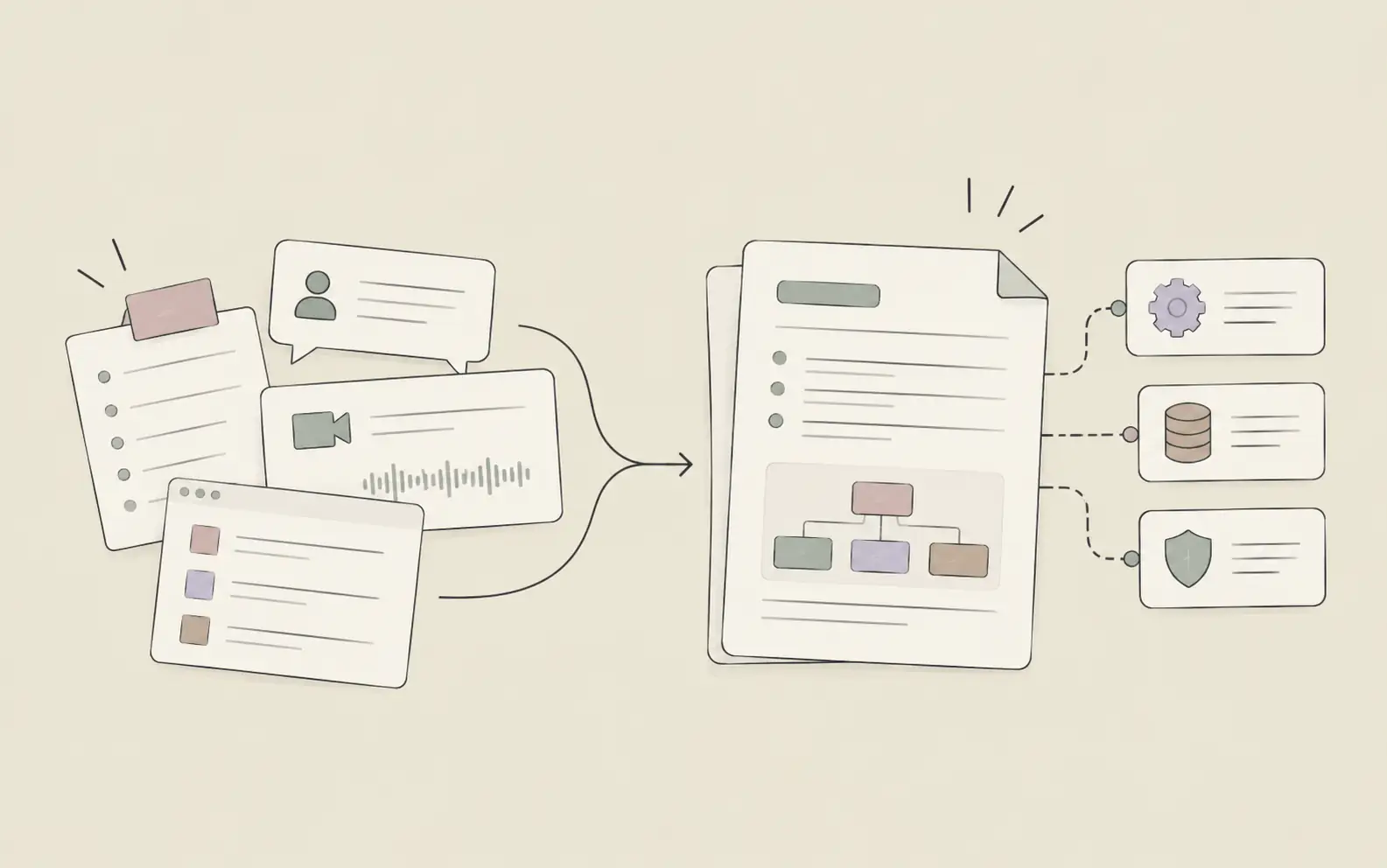
Project managers spend 54% of their time on administrative tasks rather than strategic work. AI for project management changes that equation — anticipating risks, synthesizing scattered information, and retaining institutional knowledge that would otherwise live in someone's head.
The challenge isn't just volume. Modern projects involve distributed teams, complex dependencies, and constantly shifting priorities. Traditional project management tools track tasks and deadlines, but they don't predict risks, synthesize scattered information, or remember context from quarter to quarter.
AI for project management changes this equation. Rather than simply recording what happened, these systems anticipate what's coming, automate routine analysis, and retain institutional knowledge that would otherwise live in someone's head. This guide explains how these capabilities work in practice — with real scenarios — and what to look for when choosing the right AI tools for project management.
If you're looking for a step-by-step how-to guide, see How to Use AI in Project Management: A Step-by-Step Guide. This article covers the strategic layer: what project management AI actually does, when it pays off, and how to select and implement it effectively.
What Project Management AI Actually Does
Beyond Task Tracking
AI for project management refers to systems that analyze patterns in project data, generate insights from unstructured information like meeting transcripts and email threads, and execute multi-step workflows without constant human direction. The distinction from traditional project management software matters: these systems adapt to context, learn from past projects, and handle ambiguity rather than just executing predefined automation rules.
What separates effective project management AI from basic automation is the ability to understand intent and retain context. When you ask for a status report, the system doesn't just pull data from your task tracker — it synthesizes information from meeting notes, identifies what changed since last week, and formats the update according to your established template.
These systems don't replace human judgment on strategic decisions, stakeholder negotiations, or team dynamics. They handle information processing and pattern recognition at scale, freeing project managers to focus on the uniquely human aspects of leadership.
Core Capabilities of AI for Project Management
The most valuable AI tools for project management include these capabilities:
- Context retention across projects: Remembers decisions, constraints, and stakeholder preferences from previous quarters, eliminating the need to rebuild context every time you revisit an initiative.
- Autonomous information synthesis: Pulls relevant details from meeting notes, status reports, and documentation without manual searching, then generates summaries that highlight what actually changed.
- Predictive risk analysis: Identifies early warning signs — scope creep, communication gaps, resource bottlenecks — based on historical project data rather than just schedule variance.
- Adaptive workflow automation: Learns your prioritization framework and decision criteria over time, then applies them consistently across projects.
- Multi-step task execution: Completes complex workflows autonomously — like compiling a stakeholder update from multiple sources and formatting it according to your template.
Why Project Managers Need AI Now
Administrative Overhead Consumes Strategic Time
The typical project manager's day fragments into dozens of small tasks: updating status trackers, chasing down information for reports, reformatting data for different stakeholders, searching through old documents for decisions made months ago. Each task takes 10–15 minutes, but collectively they consume entire afternoons.
AI for project management compresses these activities dramatically. Instead of manually compiling a status report from five different sources, you describe what you need and the system pulls relevant updates, identifies changes since last week, and generates a draft in your established format. What took 45 minutes now takes 5.
The impact extends beyond efficiency. When administrative work dominates your schedule, strategic thinking gets pushed to evenings and weekends. Reducing that overhead shifts when you have cognitive capacity for complex problems.
Risk Prediction Requires Pattern Recognition at Scale
Traditional risk management relies on project managers noticing warning signs based on experience. But human pattern recognition has limits. You might remember that communication gaps preceded problems on your last three projects, but you can't simultaneously track communication patterns across ten current initiatives while comparing them to historical data from 50 completed projects.
Project management AI can. These systems identify subtle indicators — meeting frequency dropping below baseline, decision documentation gaps, scope change velocity — that correlate with project trouble. They flag these patterns early, when intervention is still straightforward, rather than after problems cascade into crises.
Context Switching Taxes Cognitive Resources
Project managers handling multiple long-term initiatives face a hidden cost: the time required to rebuild context every time they switch between projects. What decisions were made last month? What constraints did stakeholders communicate? What risks were identified but not yet addressed?
Without persistent memory systems, this context lives in scattered notes, old emails, and human memory. Rebuilding it takes 15–30 minutes per project switch. For managers juggling five initiatives, that's hours per week spent just remembering what they already knew.
Real-World Use Cases: AI for Project Management in Practice
Automated Status Reporting from Distributed Sources
Sarah manages a product launch involving engineering, marketing, sales, and customer success teams. Each team tracks work in different tools — Jira for engineering, Asana for marketing, Salesforce for sales pipeline. Every Friday, she needs to compile a status report for executives.
Previously, this meant opening four different tools, copying relevant updates, reformatting everything into a consistent structure, and writing narrative summaries. The process took 90 minutes.
With project management AI that connects to her workspace, Sarah describes what she needs: "Generate executive status report for Project Phoenix covering engineering progress, marketing campaign status, sales pipeline, and customer success readiness. Highlight any blockers or timeline changes since last week."
The system searches across all project documentation, identifies relevant updates from each team, compares current status to last week's report, and generates a draft. Sarah reviews and adjusts the narrative, but the information gathering and initial synthesis happen automatically. The process now takes 15 minutes.
Risk Assessment from Historical Project Patterns
Marcus manages infrastructure projects for a financial services company. His current project involves migrating customer data to a new platform — a complex initiative with regulatory constraints and zero tolerance for downtime.
Three weeks into execution, his project management AI flags a pattern: communication frequency between the security team and database team has dropped 40% compared to the project baseline, and this pattern appeared in two previous migrations that experienced security review delays in month two.
Marcus wasn't consciously tracking communication frequency, but the system was. He schedules a sync between the two teams and discovers they've been making assumptions about each other's requirements rather than confirming them. Catching this three weeks in prevents what would have become a major blocker during security review.
Meeting Notes Synthesis and Institutional Knowledge
Jennifer runs weekly project syncs with six different teams. Each meeting generates 3–5 pages of notes covering decisions, action items, blockers, and context. Manually reviewing all these notes to track what actually needs follow-up takes 45 minutes after each meeting.
Her project management AI processes meeting transcripts automatically, identifies action items with owners and deadlines, flags decisions that affect other projects, and surfaces blockers that require her attention. It also notices when action items from previous meetings remain unresolved and includes them in the next meeting's agenda.
When Jennifer switches to a different project two weeks later, she asks "What decisions did we make about the API integration?" The system pulls relevant excerpts from three different meetings, showing not just what was decided but the reasoning behind each decision. Context that would have required 20 minutes of searching through notes is available instantly.
Roadmap Prioritization Based on Strategic Criteria
David manages product development for a SaaS company. His backlog contains 40+ feature requests from customers, sales, and internal teams. Each quarter, he needs to prioritize which features make the roadmap based on strategic impact, development effort, customer demand, and revenue potential.
Previously, this meant manually scoring each feature across multiple criteria, updating a spreadsheet, and running through various scenarios to see how different prioritization choices affected strategic goals.
His project management AI maintains context about strategic priorities, customer feedback patterns, and historical development estimates. When David describes his quarterly goals — "Focus on enterprise customer retention, target 20% reduction in support tickets, maintain development velocity" — the system analyzes the backlog against these criteria and suggests a prioritized list with reasoning for each choice.
David adjusts based on factors the system can't quantify — team morale, strategic partnerships, competitive pressure — but the initial analysis that used to take four hours now takes 30 minutes.
Stakeholder Communication Planning at Scale
Rachel manages a digital transformation initiative affecting 12 departments across her organization. Each department has different concerns, different levels of technical sophistication, and different decision-making processes. Keeping track of who needs what information, when, and in what format is a project unto itself.
Her project management AI maintains a stakeholder map that includes each person's role, concerns, communication preferences, and decision authority. When significant project changes occur, it suggests who needs to be informed, what level of detail they need, and what format works best for them.
When a timeline shift affects the finance department's budget planning, the system identifies that the CFO needs a high-level impact summary, the finance operations lead needs detailed timeline changes, and the budget analyst needs specific date shifts for three deliverables. It generates draft communications for each, customized to their typical information needs.
How to Implement AI for Project Management
Step 1: Identify Your Biggest Pain Point
Don't try to transform everything at once. Track your activities for a week and identify where you spend time on information processing rather than decision-making:
- Repetitive information gathering: Pulling status updates from multiple sources, searching for decisions made in previous meetings, finding relevant documents from past projects.
- Format conversion: Taking the same underlying information and reformatting it for different audiences — executive summaries, technical deep-dives, client updates.
- Context reconstruction: Rebuilding project context after time away, remembering stakeholder preferences, recalling why certain decisions were made.
Start with whichever category consumes the most time. For most project managers, this is status reporting or context switching between projects.
Step 2: Choose the Right AI Tools for Project Management
Not all systems marketed as AI tools for project management deliver the capabilities that matter. Evaluate tools based on these criteria:
- Memory and context retention: Does the system remember project details across weeks and months, or does each interaction start from scratch?
- Automation depth: Does it execute multi-step workflows autonomously, or does it require constant prompting?
- Learning capabilities: Does the system adapt to your workflow patterns over time, or does it require manual configuration for every scenario?
- Integration ecosystem: Can it access information from your existing tools — task trackers, documentation, communication platforms?
For project managers tracking roadmaps across quarters and managing multiple long-term initiatives, consider tools that act as personal assistants rather than just team collaboration platforms. Systems like Noumi remember context across projects, automate research and documentation, and evolve their capabilities based on your workflow patterns.
Step 3: Start Small and Iterate
Run parallel processes during transition. Don't immediately abandon your existing workflows. Use project management AI alongside your current methods for 2–3 weeks, comparing results and building confidence before fully switching over.
Start with low-risk, high-frequency tasks. Status reports, meeting summaries, and information searches are good starting points because they happen regularly, mistakes are easy to catch, and the time savings compound quickly.
Measure what matters. Track time saved on specific activities, but also pay attention to qualitative improvements — catching risks earlier, maintaining better context across projects, reducing stakeholder communication gaps.
Step 4: Train Your Team and Set Expectations
If your project management AI affects how team members report status or document decisions, explain what's changing and why. Most people appreciate reduced administrative overhead once they understand the system isn't replacing their judgment — it's handling the tedious parts of their work.
Set clear expectations about review and oversight. Make it explicit which outputs require human review before use (client communications, budget decisions) versus which can be used directly (internal status summaries, information searches).
Expect a learning curve. Both you and the system need time to adapt. Give this process 4–6 weeks before judging effectiveness.
Selecting AI Tools for Project Management: Key Criteria
Memory and Context Retention
The most valuable AI tools for project management maintain persistent memory across all your projects. When you return to an initiative after two weeks, the system should remember where you left off, what decisions were made, what risks were identified, and what stakeholders care about.
This capability matters most for project managers handling multiple long-term initiatives. Without persistent memory, you spend 15–30 minutes rebuilding context every time you switch projects. With it, you pick up exactly where you left off.
Autonomous Execution vs. Basic Automation
Look for systems that complete multi-step workflows independently rather than requiring constant prompting. When you ask for a stakeholder update, the system should gather information from relevant sources, synthesize it into your preferred format, identify what changed since last time, and flag items needing your attention — all without step-by-step instructions.
The difference between autonomous execution and basic automation is adaptability. Automation follows predefined rules. Autonomous systems understand intent and adjust their approach based on context.
Learning That Compounds Over Time
Effective project management AI learns from your workflow patterns over time. It should notice that you always include certain metrics in executive reports, that you prefer bullet points for technical audiences and narrative for business stakeholders, that you prioritize customer-facing features over internal tooling.
This learning should happen automatically through observation, not through manual configuration. The system should get better at predicting what you need and how you want it formatted as you work together.
Common Challenges with Project Management AI
Challenge 1: Accuracy Concerns with Generated Content
Project managers worry about AI generating inaccurate status reports or missing critical information. This is a legitimate concern, especially for client-facing communications or executive updates.
Solution: Establish clear review protocols. Treat system-generated content as drafts that require human review before use. Start with internal documents where mistakes have lower consequences, and expand to external communications once you've built confidence in the system's accuracy.
Most project managers find that after 2–3 weeks of use, they can identify which types of outputs need careful review versus which can be used with minimal checking. Status summaries pulled from documented sources typically require light review. Risk assessments and predictions require more scrutiny.
Challenge 2: Integration with Existing Workflows
Many AI tools for project management require significant workflow changes or don't integrate with existing project management platforms. This creates friction that undermines adoption.
Solution: Prioritize tools that work with your existing systems rather than requiring you to migrate everything to a new platform. The best project management AI systems connect to your current task trackers, documentation, and communication tools, pulling information from where it already lives.
Challenge 3: Over-Reliance on AI Analysis
There's a risk of project managers becoming too dependent on AI-generated analysis, losing touch with project details or delegating decisions that require human judgment.
Solution: Use project management AI for information processing and pattern recognition, not for strategic decisions. The system should surface insights and handle tedious tasks, but you should still make calls about scope changes, resource allocation, stakeholder negotiations, and team dynamics.
Frequently Asked Questions
Getting Started
The path forward depends on your current situation, but the starting point is consistent: identify the one activity that costs you the most time this week and test AI against it specifically. Not in a pilot program, not across your whole team — just you, one workflow, two weeks.
For most project managers, that starting point is status reporting. The inputs are already documented, the format is predictable, and the time savings are immediate. Once you've built confidence there, context retention across projects and stakeholder communication planning become natural next expansions.
If you're managing roadmaps across quarters and handling multiple long-term initiatives, consider tools built to act as execution partners rather than just information organizers. Try Noumi →